

graphifyy package, with the local quickstart.
If you are an agent, read Notes for agents before these steps.
Sign in
Open the console, the web UI at app.graphify.com, and sign in. You land on Overview. It may ask What would you like to do first? You can pick an option or skip it, since the steps below cover the same ground.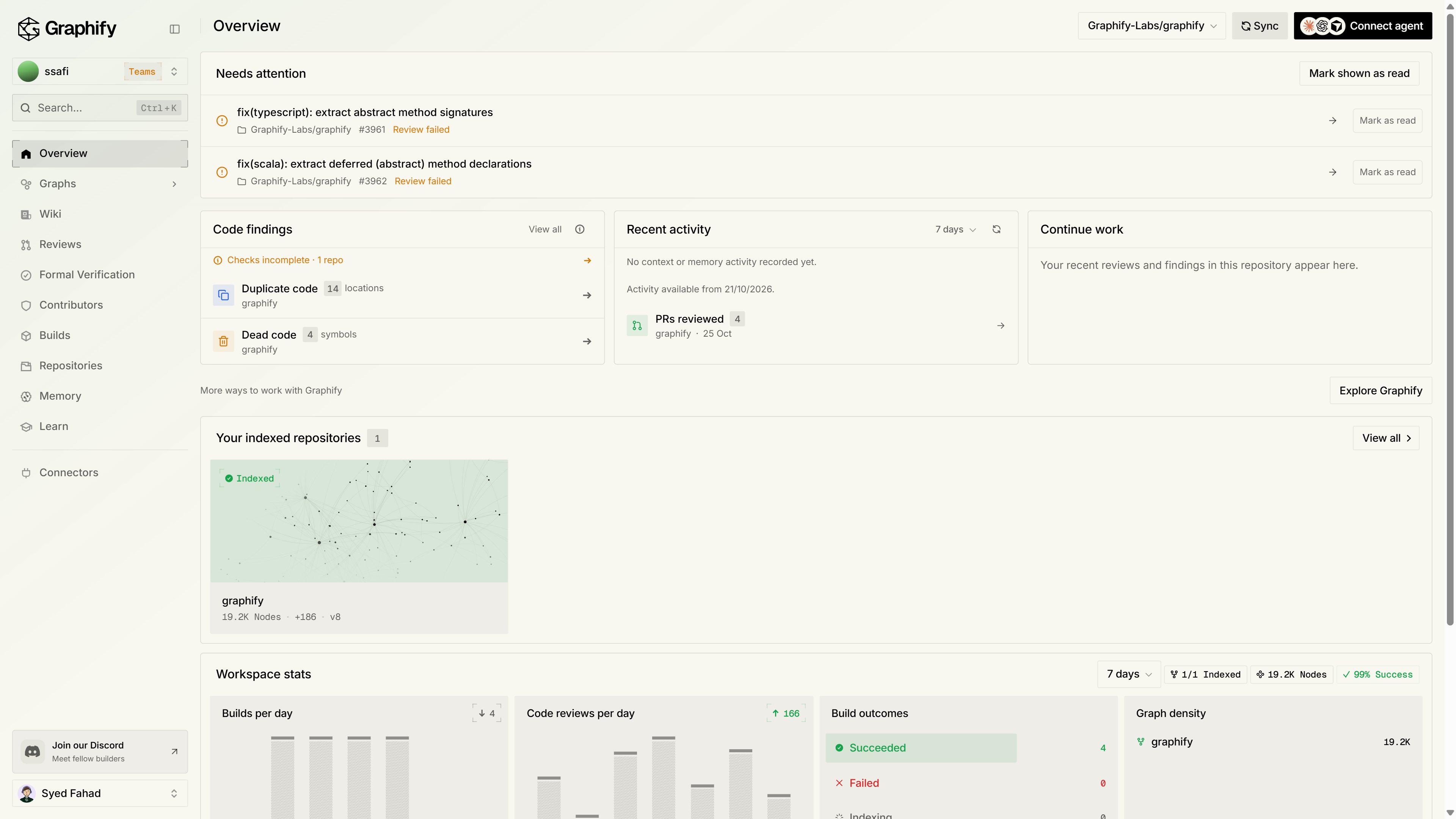
Connect GitHub
Go to Repositories and click Add GitHub repositories, then grant the Graphify GitHub App access to the repositories you want. You can also connect from Connectors → Integrations.Connected repositories show up as Paused and Not indexed. That’s expected, because nothing is indexed until you choose to.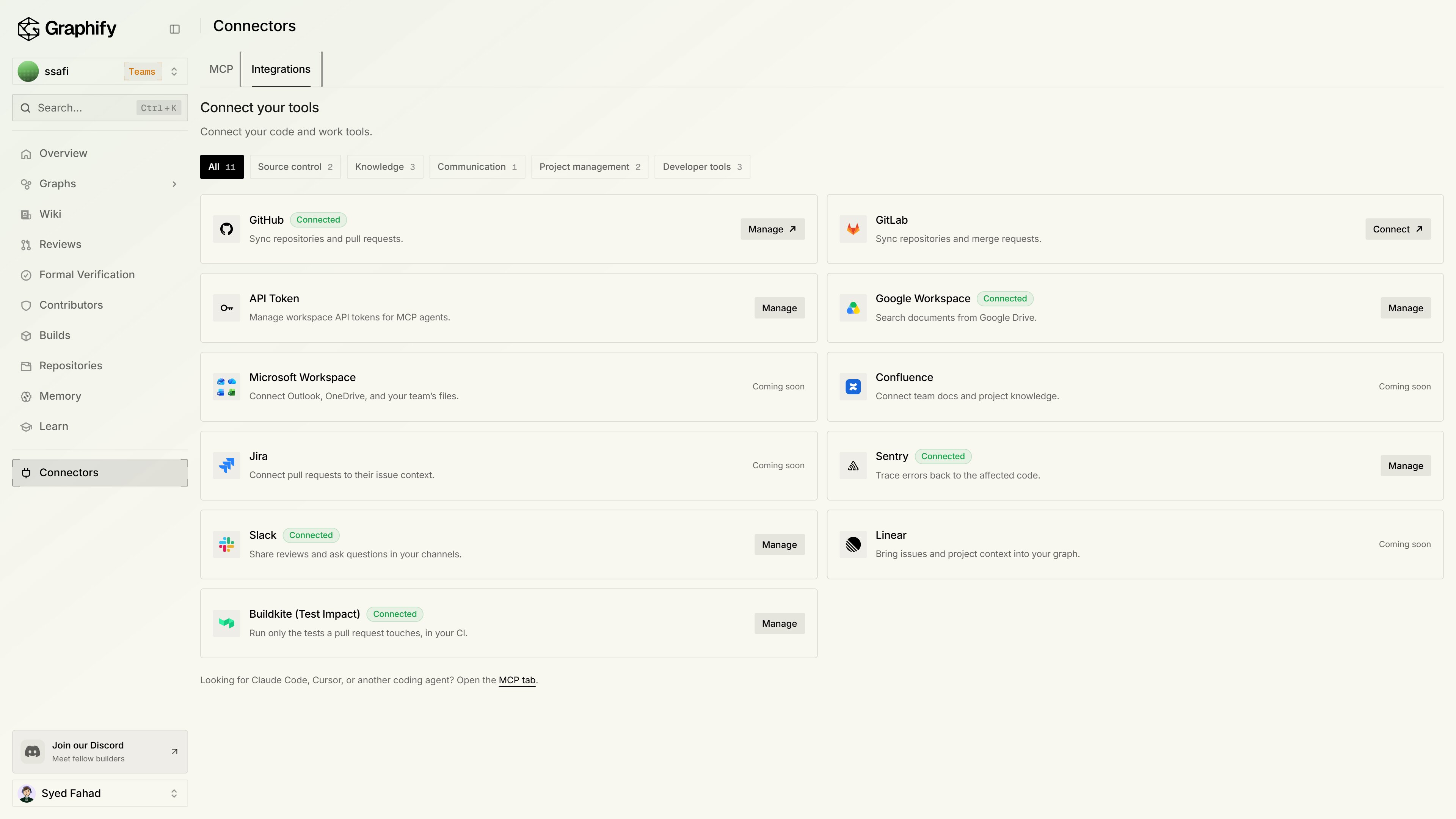
Index a repository
Find the repository, open its … menu, and switch on Indexing. This queues the first build. You can also click Index next to a repository card on Overview.On Free, you can index up to 3 repositories. Pro and Teams have no repository cap. On Teams, repositories and Google Drive sources are shared with everyone in the workspace. Switch workspaces from the switcher at the top of the sidebar. See Plans and pricing.Follow the run on Builds. When it finishes, the repository’s status changes to Indexed.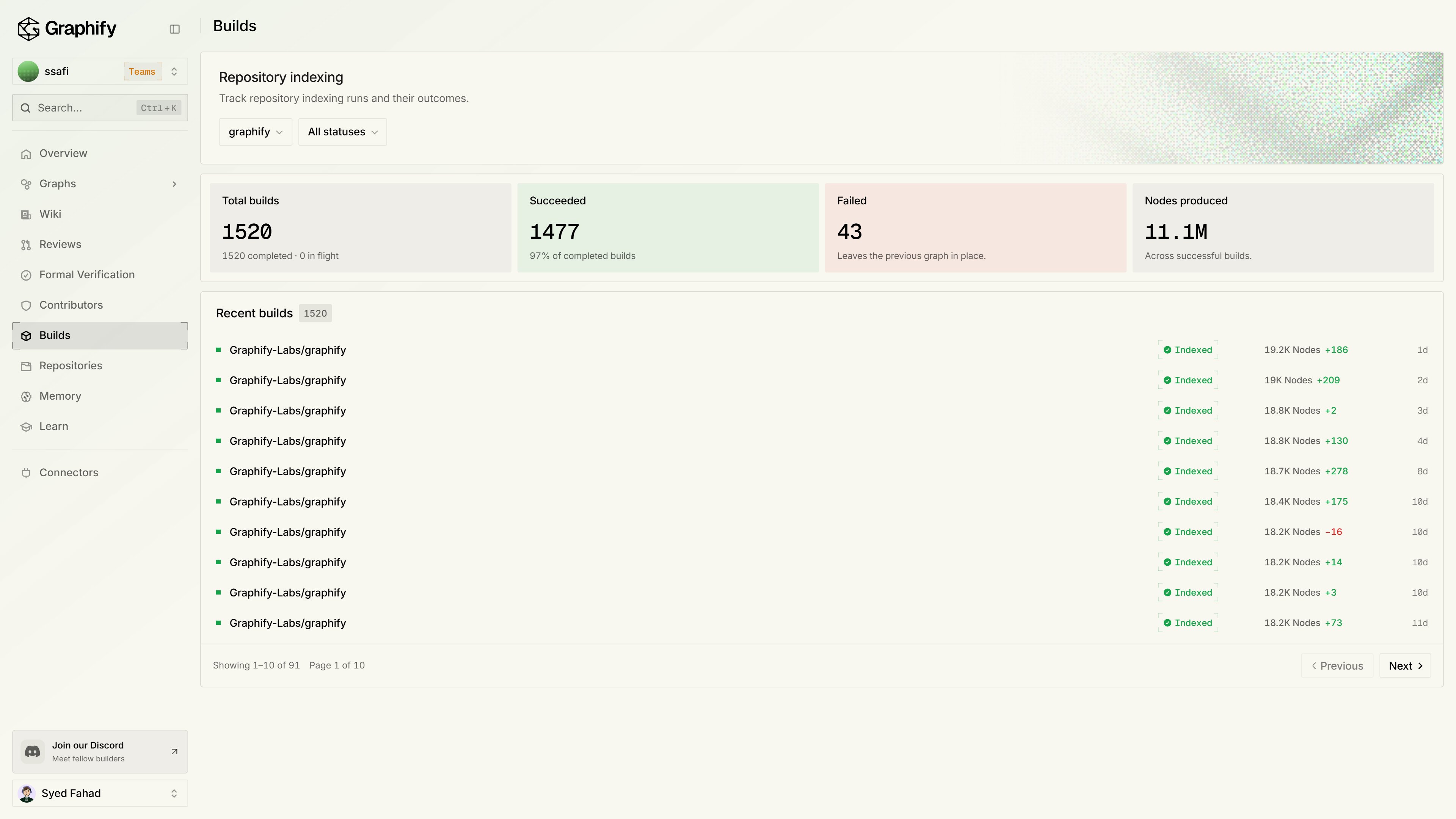
Look at the graph and wiki
Open Graphs to explore the repository’s nodes and their most connected areas. Then open Wiki, which writes an article for each area of the repository automatically. Memory lets you ask or search across what Graphify knows.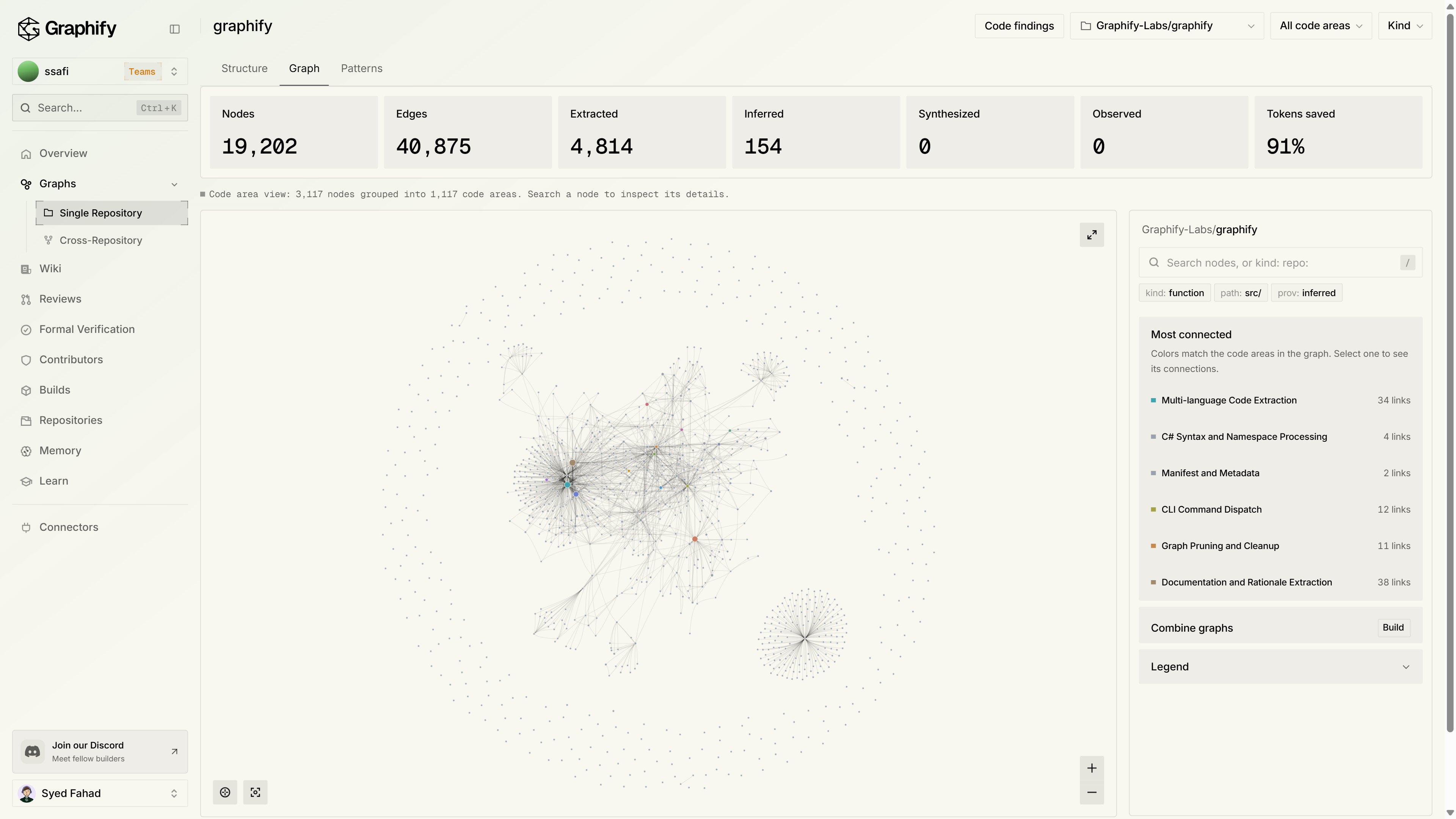
Connect your agent
Go to Connectors → MCP. The wizard has three steps: Choose agent, Connect, and Try a query. It writes setup steps for Claude Code, Codex, Cursor, GitHub Copilot, VS Code, and many more agents (open Browse all agents for the full list).You can also add the server yourself. Each agent takes one line or one config entry:The first connection opens an OAuth sign-in. There is no API key to paste. If you don’t know how to configure your agent, click Copy quick-start prompt and paste it into the agent. It adds Graphify, walks you through sign-in, and runs a first query.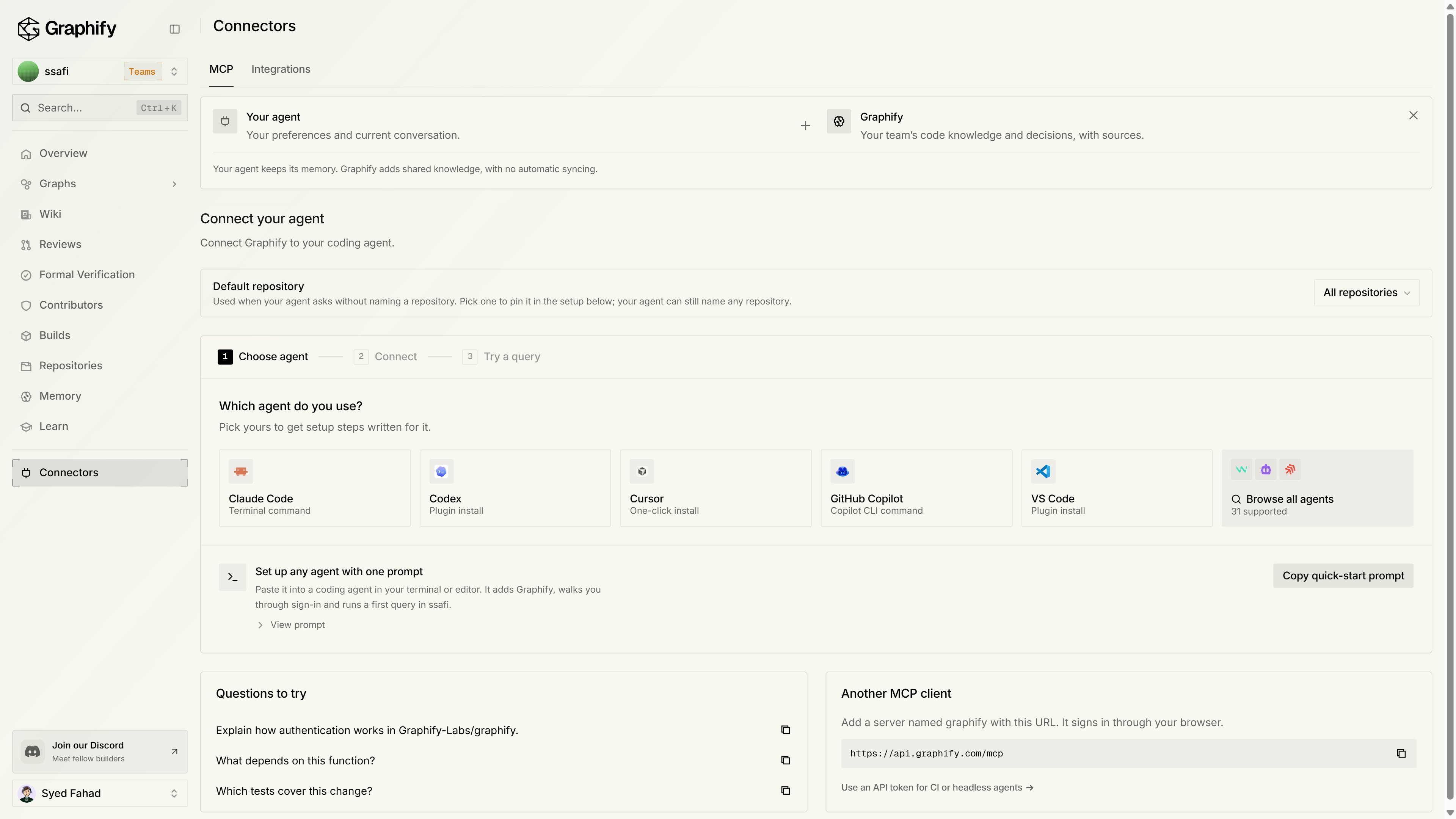
Run a first task
Under Get your first useful result on the same page, click Copy first task and paste it into your agent. Or ask in your own words:The answer cites source locations from the indexed graph. Open them to check. For help reading the answer, see Read a result.
If something looks wrong
More fixes are in When you’re stuck.
Next steps
Trace a change
Follow a relationship across files and repositories.
Tour the console
Every page in app.graphify.com, explained.
Review pull requests
Get graph-aware findings on your pull requests.
Already use local Graphify?
Move from a local graph to Graphify Cloud.