

 Claude Code
 Codex

 Cursor
 VS Code
Onboard to a repository
Find where to start reading, then ask your agent.
Check what a change breaks
See what a change reaches, in this repository and others.
Remember an incident
Save the lesson so the next agent doesn’t undo the fix.
Before you start
- A repository with the status Indexed in Graphify. The quickstart gets you there in 5 minutes.
- A coding agent connected to the hosted MCP server, for the agent steps. See Connect your agent below.
Onboard to a repository
New to a codebase? Read the parts that matter first, not every file.1
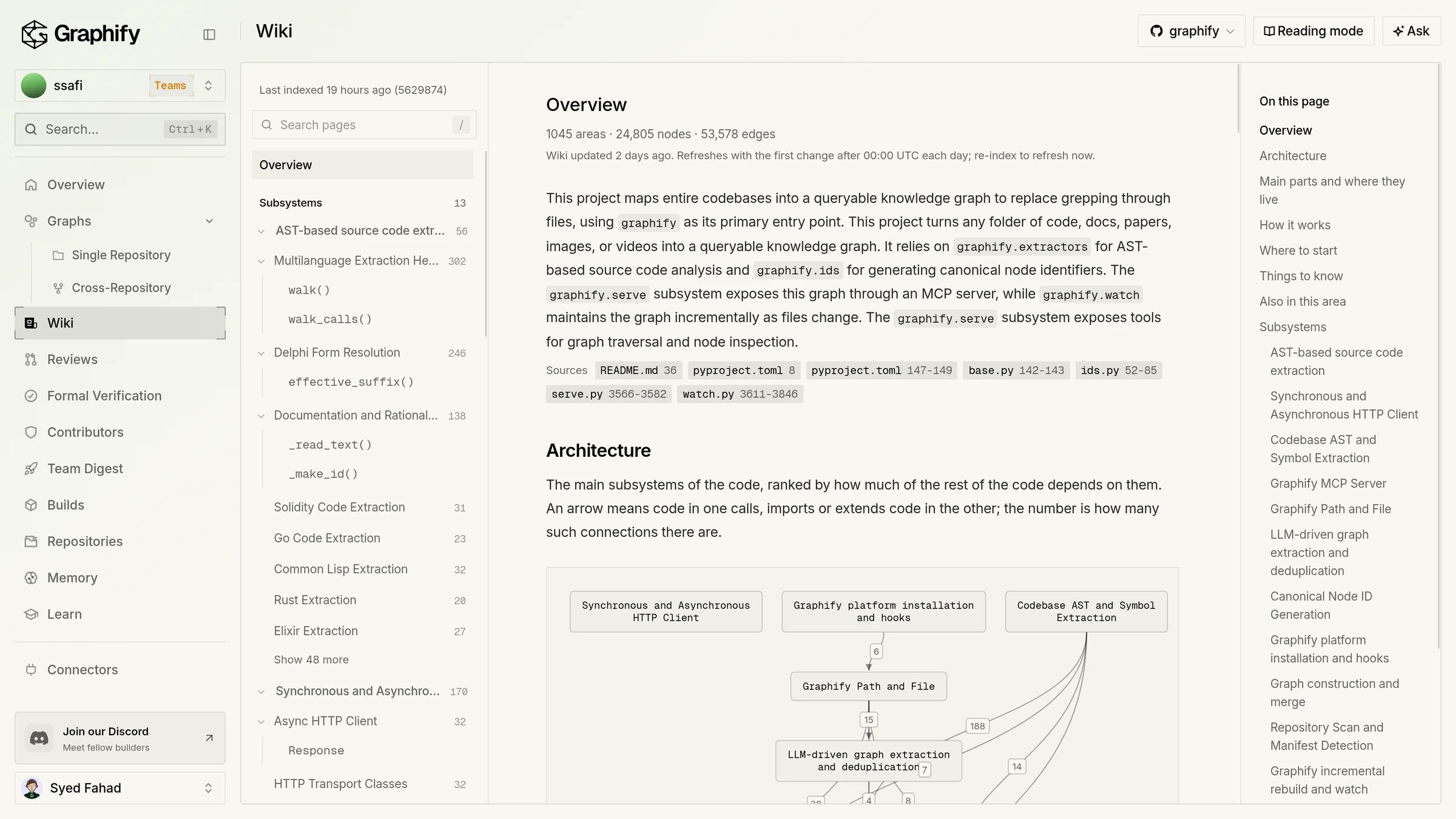
Open the Wiki
Open Wiki and choose the repository. Start with Overview, then read the Subsystems. Each article lists Key components and Relevant source files. If you don’t see Wiki, it isn’t turned on for your workspace.
2
Look at the graph
Open Graphs to see the most connected areas. Select a node to read its Incoming and Outgoing connections, or use Explain this code for a plain explanation.
3
Ask your agent
Ask your connected agent the questions you’d ask a teammate. The answer cites files from the indexed graph, so you can open them and check.
Agent prompt
Check what a change breaks
Know what a change reaches before you merge it, even in other repositories.1
Ask before you change code
Ask your agent what a function’s change reaches, which files are riskiest, and which tests cover them. In Graphs, What a change could affect shows the same idea on the canvas.
2
Open a pull request
Graphify reviews a pull request when it is opened, reopened, or marked ready for review. The review comment and a Graphify check run show up on the pull request. After you push a fix, comment
@graphify review for a fresh run.3
Read the review
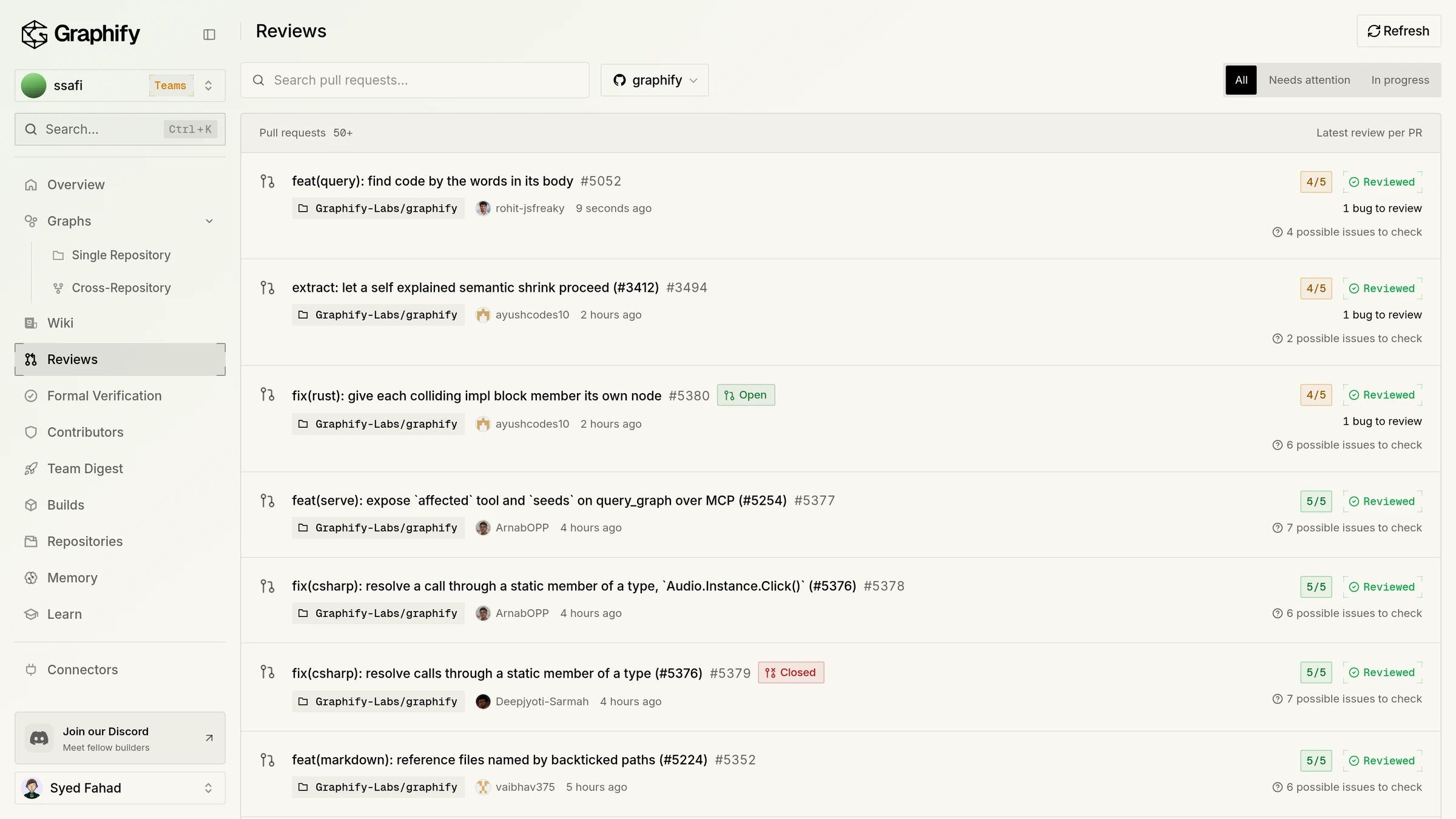
Open Reviews to see each pull request’s state and finding count. Your agent can read the same result with the
review_status tool.4
See impact across repositories
Combine two or more repositories in Graphs > Cross-Repository. Reviews in those repositories then add a Cross-repo impact section that lists affected symbols in the other repositories.
Agent prompt
Remember an incident
The fix lands in git. The lesson should land somewhere your agents will read it.1
Record it
Open Memory, choose the repository, and switch to Advanced. Select Record an incident. Write what broke, the root cause, the fix, and the trap to avoid.
2
Link it to code
Under More options, set Effective time and add the files in Related code paths. Graphify checks them against the code graph and links the memory to that code.
3
Let agents recall it
Connected agents call
recall before they edit that code. Add a short block to AGENTS.md or CLAUDE.md so they know when to call it.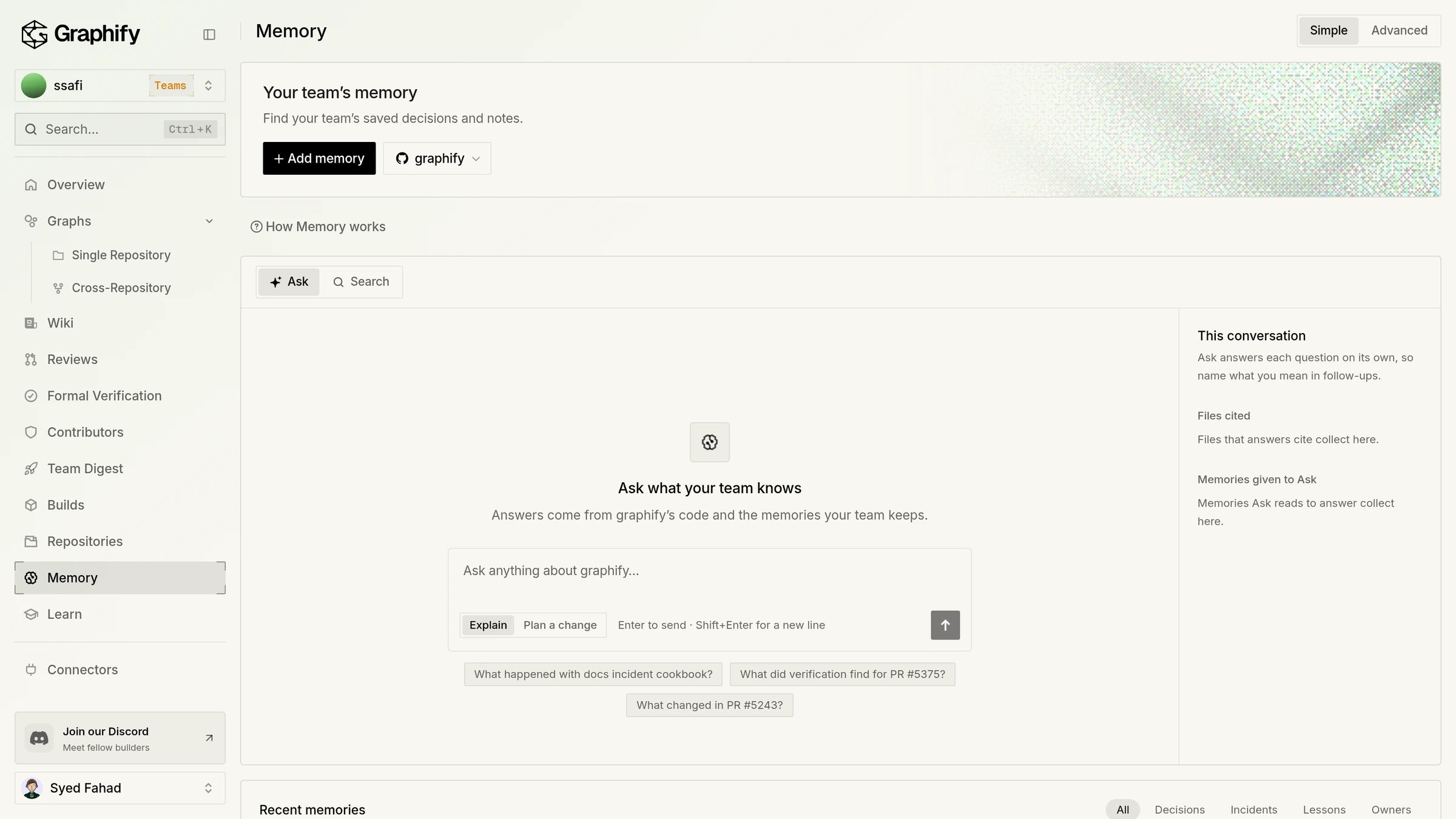
Agent prompt
Connect your agent
Every job above works best when your agent can read the same graph. Go to Connectors > Agents (MCP). The wizard walks you through Choose agent, Connect, and Try a query. Sign-in uses OAuth, so there is no API key to paste.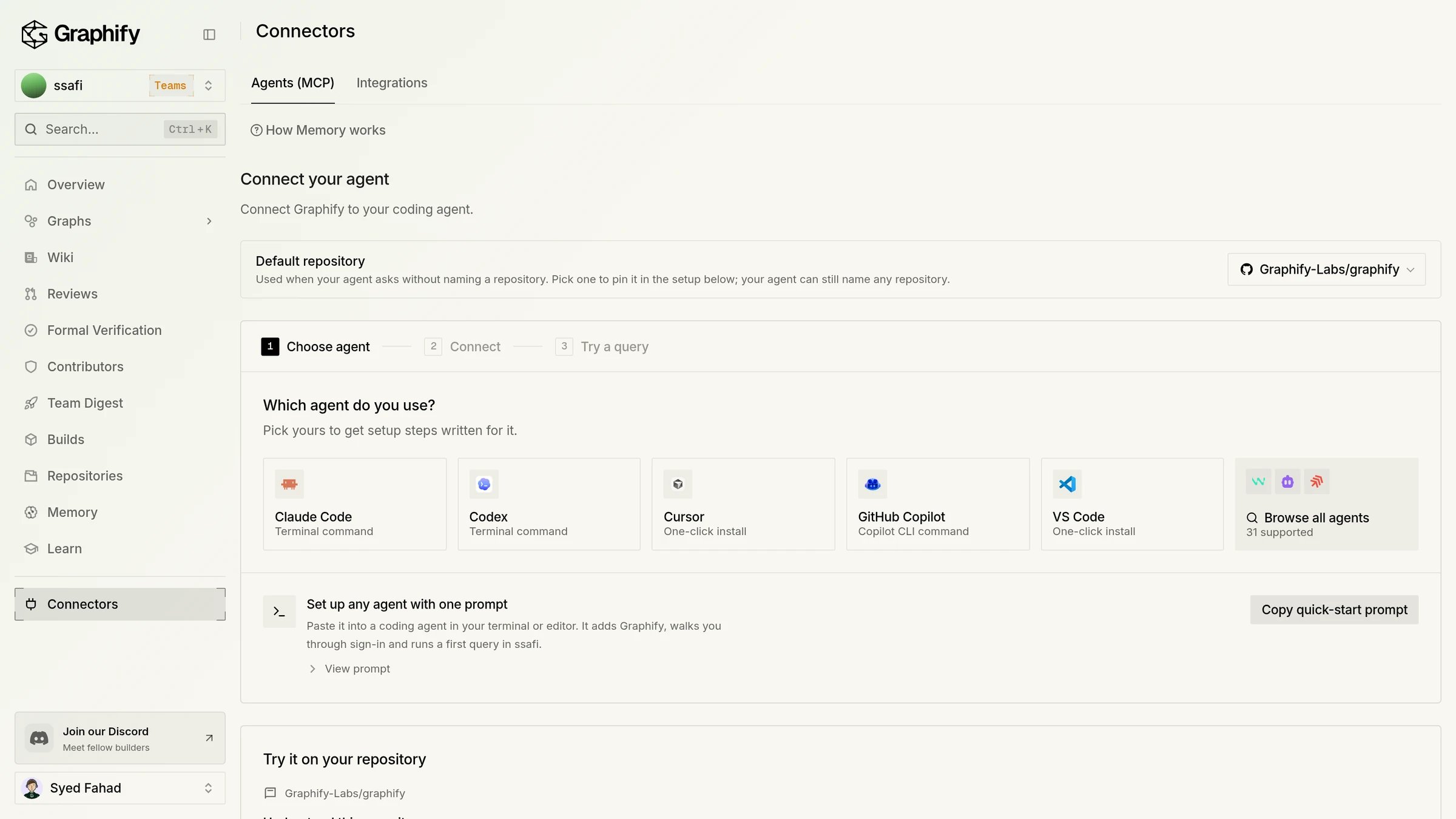
Add the server yourself
Add the server yourself
Any MCP client can use Setup for every client is on Graphify MCP.
https://api.graphify.com/mcp over Streamable HTTP.Claude Code
Check that your agent uses Graphify
Check that your agent uses Graphify
See Check your agent is using Graphify. To make your agent use the graph without being told, see Make agents use the graph.
Where can I see every page of the app?
Where can I see every page of the app?
Tour the Graphify app walks through each page in the sidebar.
Next steps
Use Graphify from your agent
Copy-ready prompts for review, impact, callers, and tests.
All cookbooks
Step-by-step recipes for common jobs.